Your Power BI Dashboards Are About to Start Talking to AI Agents. Here's What That Means for You.
Fabric IQ turns your Power BI models into the knowledge AI agents rely on. What changed in 2026, what it costs, and what a growing business should actually do about it.
A client asked me something last month that I haven't stopped thinking about.
We'd just finished a review of their Power BI setup — a distribution company, about 180 people, Salesforce on the sales side and Odoo running everything else. Decent dashboards. Nothing fancy. And the MD leaned back and said, "So when we switch on the AI stuff, it'll just read all this, right?"
Well. Yes. That's exactly the problem.
Because "all this" included a table called Query2, three different measures named Revenue that gave three different numbers, and a customer list where their biggest account appeared four separate times with four slightly different spellings. A human looking at a chart can squint past that. An AI agent can't. It reads what's there and reports it back with total confidence.
That conversation is really what this post is about. Microsoft spent 2026 turning Power BI from "the thing that makes charts" into "the thing AI agents learn your business from." It's called Fabric IQ, it's live now, and if you run a growing business on Salesforce, Odoo, or both, it changes what your dashboards are for.
Two weeks ago we wrote about the AI agents landing inside Salesforce and Odoo. Think of this as the other half of that story: where those agents get their facts.
So what actually happened this year?
I'll skip the launch vocabulary. Four things changed, and they build on each other.
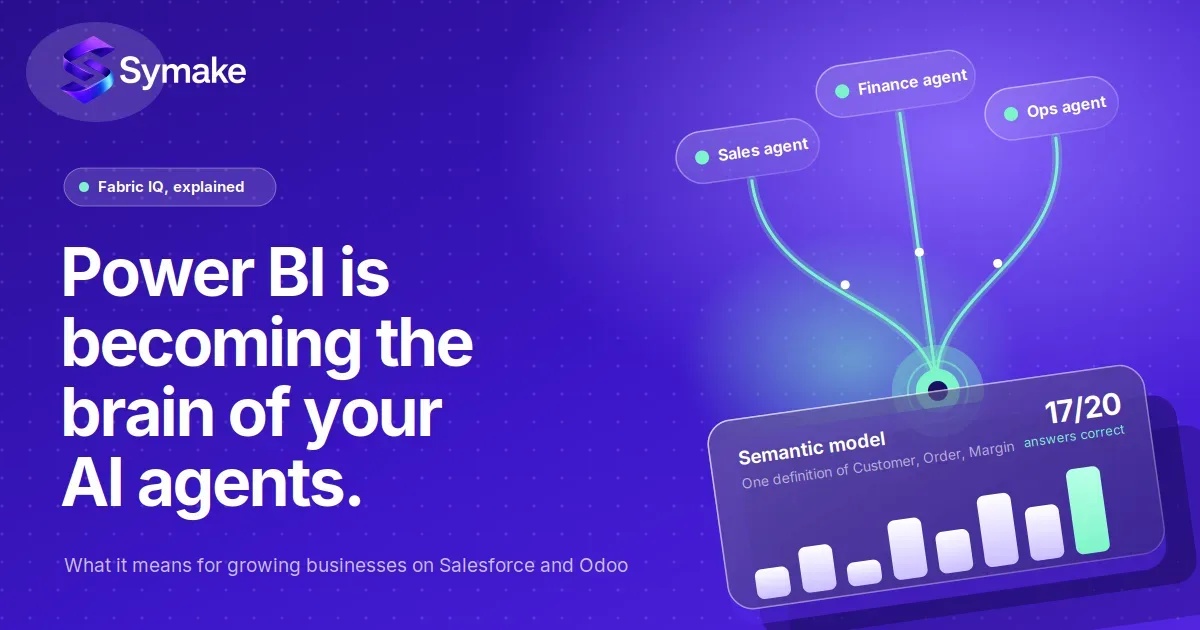
Fabric IQ went live in May. Microsoft announced it as generally available at Build. In plain terms, it's a layer inside Microsoft Fabric that reads your Power BI semantic model — the tables, relationships, and formulas underneath your reports — and turns it into what they call an ontology. That's just a map of your business: here's a Customer, here's an Order, here's how they connect, here's what "margin" means.
In July, Microsoft told us where this is going. They published a post on 21 July called "The future of conversational analytics in Fabric." Strip the polish off and it says one thing: your Power BI semantic model is now the source of truth that AI answers get grounded in — not just inside Power BI, but across Microsoft 365 Copilot, Fabric, and whatever agent apps come next.
The old Q&A box is being retired in December. If your reports have that "ask a question about your data" visual, it stops working at the end of 2026. Copilot replaces it. That sounds like a small thing until you realise Copilot needs different licensing, which I'll get to.
Agents can now do things, not just say things. A feature called Translytical Task Flows went GA earlier this year. It lets a person — or an agent — trigger an action straight from a report: update a record, escalate to someone in Teams, open a case. Layer Fabric IQ on top and you get agents that notice something, understand what it means, and act on it.
Here's the shortest way I can put it: your dashboard used to be the last step in the pipeline. Now it's the middle.
Why I think this matters more for you than for a big enterprise
Honestly, large enterprises will handle this the way they handle every Microsoft shift. Slowly. With a committee. With a budget line called "governance."
If you're running a ₹30 crore or ₹300 crore business, you're in a different spot, and it cuts both ways.
The good news is you have far fewer moving parts. Most of the companies we work with run one CRM, one ERP, an accounting package, and some spreadsheets that everyone pretends don't exist. Building one clean model across that is a few weeks of work, not a few years. Which means a 200-person distributor can genuinely have an AI agent answering "which of our top 20 customers are overdue, and what did they order last quarter?" — correctly — long before a 20,000-person company gets past the steering committee stage.
The less-good news is that most growing businesses built their Power BI reports quickly, because someone needed a chart by Thursday. And that's fine! That's how it should be. But it means the model underneath was never treated as something that mattered on its own. Nobody named the tables properly. Nobody agreed on one definition of "active customer." Nobody matched the Salesforce account IDs to the Odoo partner IDs.
Until now, a messy model gave you a slightly wrong chart, and someone with context caught it. Now a messy model gives an AI agent a slightly wrong fact, and the agent puts it in a Teams message to your CFO. Or worse, acts on it.
We've written before about what disconnected data actually costs. Fabric IQ doesn't change that cost. It just removes the human safety net that was hiding it.
How it works, without the diagram
Let me walk through the chain the way I'd explain it across a table.
Every Power BI report sits on a semantic model. You've had one since day one, whether you called it that or not. It's the tables, the relationships between them, and the measures — formulas like Gross Margin = Revenue minus Cost of Goods.
Fabric IQ takes that model and generates an ontology from it. Tables become "things" (Customer, Product, Invoice). Relationships become the links between things. Measures become agreed KPIs. You define Customer once, and everything downstream uses that definition. Worth saying: the ontology piece is still in preview, so pilot it, don't bet the quarter on it.
Then Copilot sits on top. Someone in your team asks a question in plain language — in Power BI, in Teams, in Microsoft 365 — and the answer is grounded in that ontology rather than in a guess. This is what replaces Q&A.
Above that you get agents. A Data Agent is basically a virtual analyst wired to your models. An Operations Agent watches live data, spots something — a receivable past 60 days, stock under the reorder point, a big Salesforce opportunity nobody's touched in two weeks — and can trigger a governed action through a Task Flow.
And one more thing I'm watching closely: Microsoft has said Fabric IQ ontologies will be exposed through MCP endpoints. That's the standard that lets agents from outside Microsoft plug in. Which means, in principle, the Agentforce agents in your Salesforce and the AI agents in Odoo 20 could all read from the same definition of "customer." That's the announcement I'm hoping to hear more about at FabCon Europe in Barcelona at the end of this month.
If that lands, Power BI becomes the shared vocabulary between your CRM, your ERP, and your leadership team. Whoever owns that vocabulary owns the quality of every AI decision in the business.
What it costs, and the trap I keep seeing
This is the part where people get caught, so let me be direct.
Power BI Pro is $14 a user a month. Premium Per User is $24. Those let you build and share reports. They do not give you Copilot, Fabric IQ, or agents. For that you need Fabric capacity — the F-SKUs — or a capacity that's been designated as a Fabric Copilot capacity (a setting Microsoft flipped on by default for everyone back in February).
A few things that follow from that:
The smallest capacity, F2, is around $263 a month. But Copilot has historically needed more than F2, so if AI is the goal, budget for a mid-tier SKU and check Microsoft's current minimum before you commit — it's moved a couple of times.
At F64 and above, people who only view reports need just a free licence. If you've got 100-plus people looking at dashboards, that can actually work out cheaper than paying $14 a head, and you get the full AI stack thrown in.
The Q&A retirement is a deadline in disguise. If you're on Pro-only licensing and your reports lean on Q&A, natural-language querying stops in December unless you've added capacity. Decide this now. Not in November.
And no, Microsoft 365 E5 doesn't cover it. E5 includes Power BI Pro. It does not include Fabric capacity.
What I usually recommend: one reserved mid-tier capacity for a pilot workspace, and leave everyone else on their existing Pro licences until you know what you're doing.
The 90-day version
If you read our Dreamforce and Odoo 20 post, this will look familiar. That's deliberate. The two plans should run side by side.
First month: clean the model. Start by listing every Power BI report anyone actually opens. In my experience about 40% are dead. Retire them. Then find the one model that both finance and sales trust — there's usually one — and make that the certified dataset everything else connects to. Rename every table and column into words a human would use. dim_cust_v2 becomes Customer. This isn't cosmetic; Copilot and the ontology generator read those names literally. And match your CRM customer IDs to your ERP customer IDs. If ABC Traders exists three times across Salesforce and Odoo, no agent can be trusted with a customer question.
Second month: pilot Copilot on one capacity. Spin up a single Fabric capacity, move the certified model onto it, switch Copilot on. Give five to ten business users the list of 20 questions leadership actually asks every week and score every answer — right, wrong, or confidently wrong. Then fix the model wherever it fails. Almost every failure traces back to an ambiguous measure or a missing relationship. It's almost never the AI.
Third month: generate the ontology and pick one action. Run Fabric IQ over the certified model and sit down with your finance and ops heads to review what it produced. This is usually the meeting where everyone discovers that sales and finance have been using different definitions of "active customer" for years. Then choose one closed-loop use case for an Operations Agent. Overdue receivables above a threshold is a good first one. Wire it through a Task Flow with a human approving the action. No agent writes to your ERP unsupervised in the first quarter. Not one.
Ninety days won't get you to some sci-fi autonomous business. It'll get you to one governed model that an AI agent answers from correctly. That's the whole game right now.
The mistakes I expect to see over the next year
I'll keep this short because you can probably guess most of them.
Buying capacity before cleaning the model — Copilot on a messy model just produces fluent, wrong answers faster than a human could.
Letting agents write to production on day one. Read-only first, human-approved actions second, autonomy much later. The reputational damage from a wrong automated action arrives immediately; the governance to prevent it takes months.
Forgetting the Q&A deadline until someone opens a report in December and finds a blank box.
Treating the ontology as an IT project. It encodes business definitions. If only the tech team reviews it, it'll be technically correct and commercially useless.
And building the ontology before fixing the integration. If a closed Salesforce deal still gets re-keyed into Odoo by hand, your model describes a business that doesn't quite exist. Sort the ystsem integration first.
The dashboard was never the point
Power BI was always about helping people make better decisions. In 2026, "people" now includes agents, and agents don't have the judgement a human applies when a chart looks slightly off.
So the most valuable thing a growing business can do with Power BI this year is deeply unglamorous: build one clean, governed, plain-language model that everything reads from. Get it right, and every agent in your Salesforce, your Odoo, and your Microsoft tenant is working from the same version of the truth. Get it wrong, and you've just automated your data silos.
That MD I mentioned at the start? We're eight weeks into their clean-up. Their Copilot pilot answers 17 of the 20 questions correctly now. The other three are all the same root cause — a definition of "delivered" that warehouse and finance never agreed on — and that's a conversation, not a technical fix.
If you want to get there before the December deadline, we implement both Salesforce and Odoo and build the AI layer on top, so we already know which fields on each side need to agree. Get in touch and we'll scope the 90 days together.
People Also Ask (FAQs)
What is Fabric IQ, in one sentence?
It's the layer inside Microsoft Fabric that reads your Power BI semantic models and turns them into a shared map of your business that Copilot and AI agents use to answer questions and take actions with consistent definitions. Microsoft announced it at Ignite 2025 and made it generally available at Build in May 2026.
Does Fabric IQ replace Power BI?
No. Power BI is still where you build models and reports. Fabric IQ sits on top and makes those models available to AI experiences across Fabric, Microsoft 365 Copilot, and — via MCP endpoints — agents from other platforms. Power BI becomes one piece of a bigger picture rather than the end of the line.
Is Power BI Q&A really going away?
Yes. Microsoft announced in December 2025 that the legacy Q&A feature will be deprecated in December 2026, with Copilot as the replacement. Because Copilot needs Fabric capacity, anyone on Pro-only licensing needs to make a capacity decision before then.
Do I need Fabric capacity to use Copilot in Power BI?
Yes. Pro and Premium Per User licences cover building and sharing reports. Copilot, Fabric IQ, and agents run on Fabric capacity. F2 starts around $263 a month, though Copilot has typically needed a larger SKU. At F64 and above, report viewers only need a free licence.
Can Fabric IQ work with Salesforce and Odoo data?
Yes, as long as the data is modelled in Power BI or sitting in OneLake. Salesforce connects through Power BI's built-in connectors; Odoo connects through its PostgreSQL database, its API, or a third-party connector. Once both are in one governed model, Fabric IQ can generate an ontology that spans CRM and ERP — which is where most of the useful business questions live anyway.
How long does it take to get Power BI ready for AI agents?
For a growing business with one or two core systems, about 90 days. A month to clean and consolidate the model, a month to pilot Copilot and fix what breaks, and a month to generate the ontology and run one supervised agent action. The timeline is set by your data hygiene, not by the technology.