Timake — Time Tracking & Team Productivity

Timake automatically tracks work hours, captures activity and screenshots, and turns it into clear timesheets and productivity reports — so teams stay focused and managers get complete visibility into where time really goes.

See Where Time Really Goes

A focused view for every team member, and full control for admins and managers.

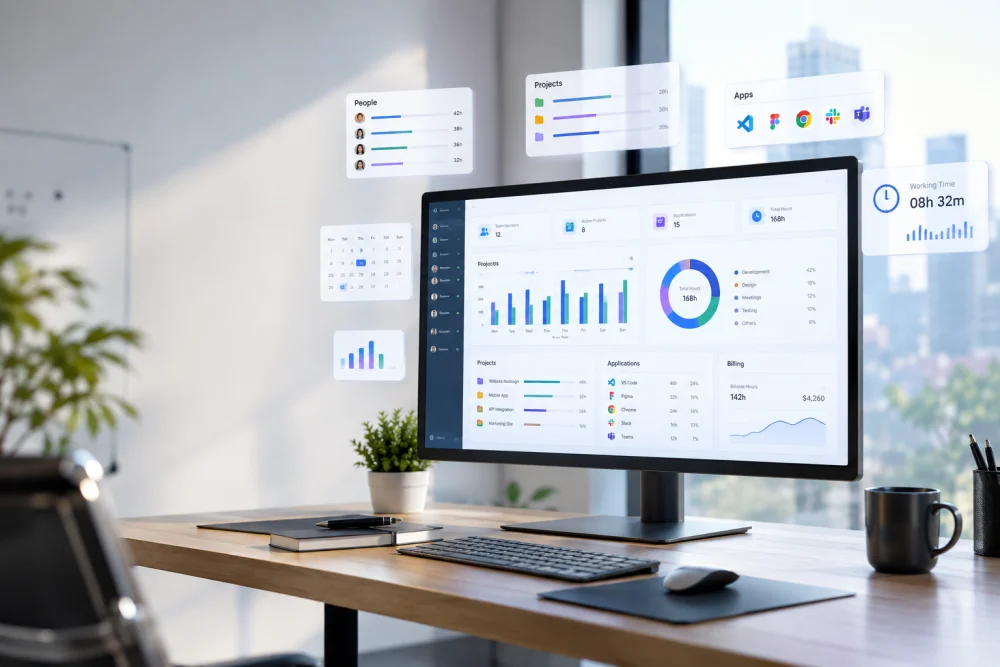
Timake user dashboard background
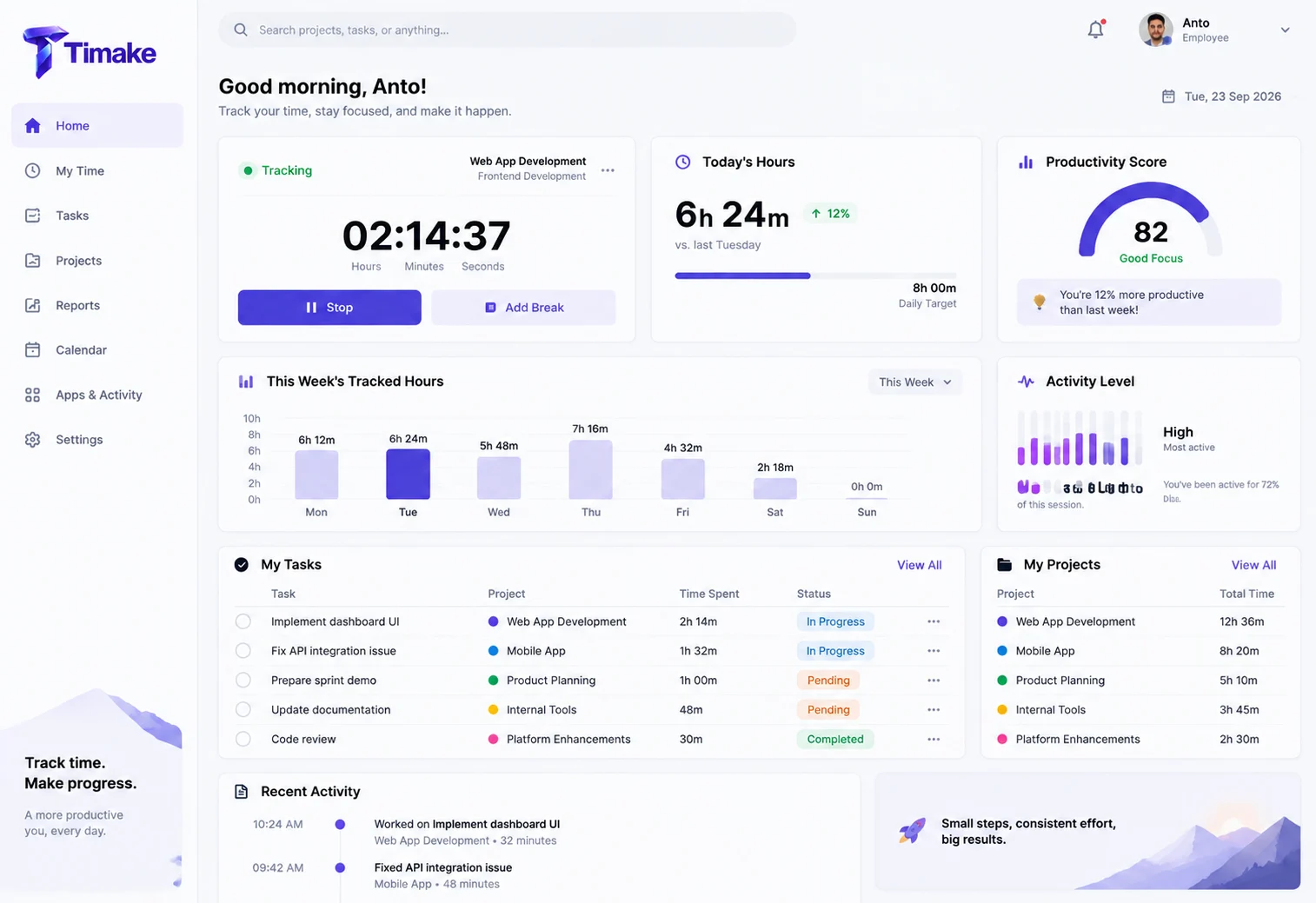
Timake user dashboard screenshot

For Every Team Member

A focused personal dashboard so each person sees their own time, tasks, and productivity at a glance.

  • One-click start / stop timer
  • Today's hours & weekly summary
  • Personal productivity score
  • Assigned tasks & projects
See It in Action →
Timake admin dashboard background
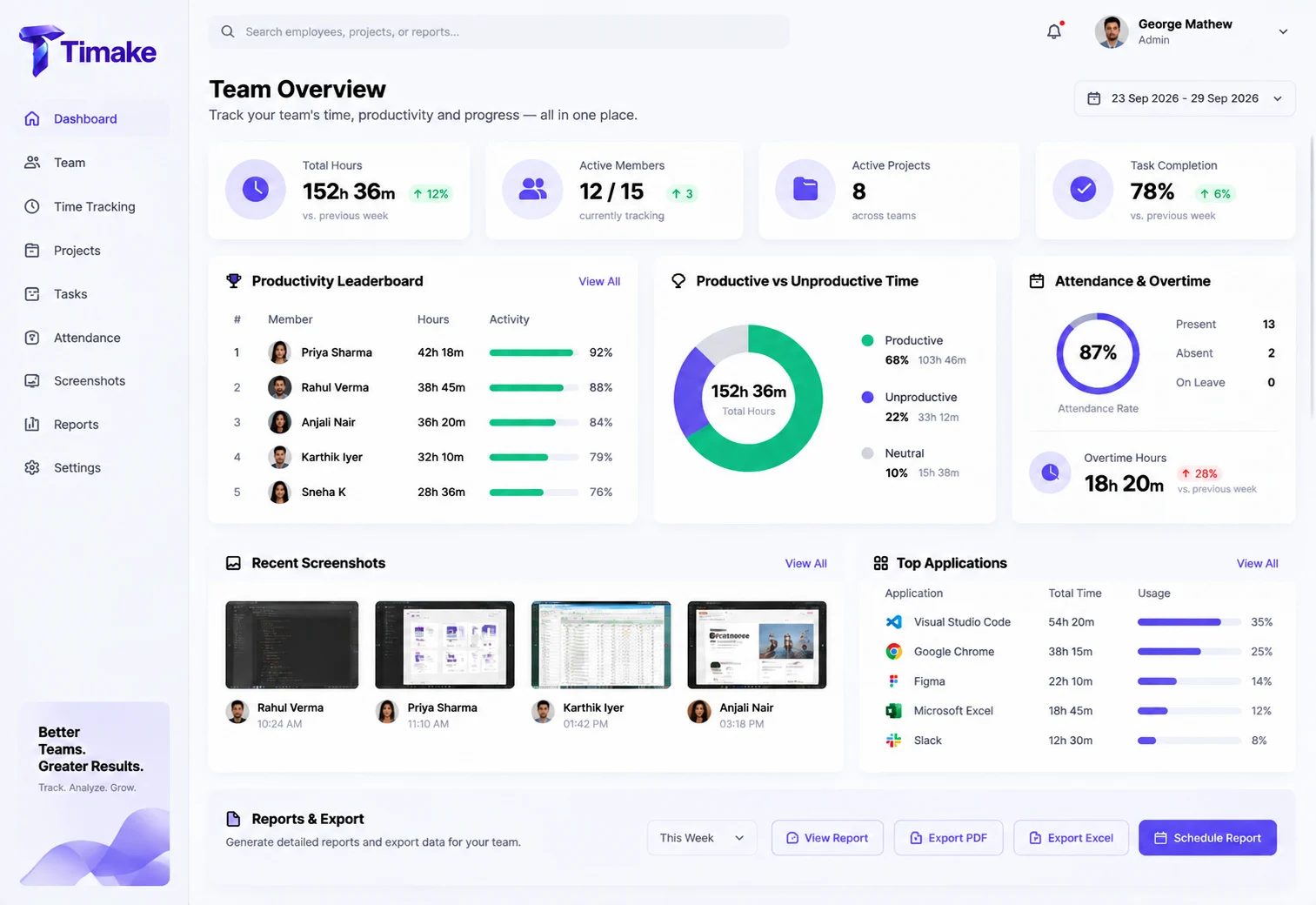
Timake admin dashboard screenshot

For Admins & Managers

Complete oversight of the whole team — hours, activity, attendance, and productivity in one control center.

  • Whole-team hours & activity
  • Productivity leaderboard
  • Attendance, overtime & screenshots
  • Reports, exports & permissions
Get a Team Demo →

Everything You Need to Track Time & Boost Productivity

One platform to measure work, understand where time goes, and help your team do their best work.

Automatic Time Tracking

Logs work hours automatically when the computer is active — with smart break and idle detection, away-time, and offline tracking. No manual start/stop needed.

Screenshots & Activity

Capture periodic screenshots and keyboard/mouse activity levels at intervals you choose — with automatic, manual, or silent modes to fit your team.

App & Website Tracking

See which apps and websites are used and for how long, automatically categorized as productive or unproductive.

Timesheets & Overtime

Turn tracked time into accurate timesheets and attendance, and calculate overtime automatically for payroll and billing.

Productivity Analytics

Real-time dashboards, productivity scores, and custom reports let managers analyze workload and spot bottlenecks fast.

Projects & Tasks

Track time by project and task, plan sprints, and see exactly where effort is going across your team.

Flexible Tracking Modes

Choose automatic, manual, or silent tracking — adapt the way Timake runs to each team's workflow and policy.

Security & Permissions

Role-based access, customizable permissions, and audit logs — with options to store data in your own infrastructure.

Live Team Monitoring

See who's active right now, what they're working on, and real-time activity levels across your whole team at a glance.

Why Teams Choose Timake

Complete visibility with the simplicity a growing team needs.

Effortless automatic time tracking

Effortless to Run

Tracking happens automatically in the background — your team barely notices it, and there's nothing to remember to start or stop.

Complete visibility into how time is spent

Complete Visibility

See exactly how time is spent across people, projects, and apps — with data you can trust for decisions and billing.

Team productivity rising with Timake time tracking

Higher Productivity

Productivity scores and activity insights help teams stay focused and help managers coach where it matters.

Accurate payroll and billing from tracked time

Accurate Payroll & Billing

Reliable timesheets and automatic overtime make payroll and client invoicing fast and dispute-free.

Works anywhere for hybrid and remote teams

Works Anywhere

Offline tracking and remote-friendly monitoring keep in-office, hybrid, and distributed teams covered.

Private and secure with role-based access

Private & Secure

Role-based access, audit logs, and flexible data-storage options keep sensitive information under your control.

Everything Time Tracking Should Do

Timake brings time tracking, productivity insights, project management, payroll, and security together in one platform — adopt exactly what you need today and grow into the rest as your team scales.

⏱️

Time Tracking & Timesheets

Capture accurate work hours automatically and turn them into clean, reliable timesheets your whole team can trust.

  • Automatic time tracking
  • Smart break & idle detection
  • Offline time tracking
  • Timesheets & attendance
  • Overtime calculation
📊

Productivity & Monitoring

Understand focus and see exactly where time really goes across every person and team.

  • Screenshot monitoring
  • Activity level tracking
  • App & website usage
  • Productive vs unproductive scoring
  • Automatic, manual & silent modes
🗂️

Projects & Task Management

Track effort against projects and tasks so you always know where time and budget are going.

  • Time by project & task
  • Sprint & workload planning
  • Task assignment
  • Progress tracking
  • Budget vs actual hours
💰

Payroll, Billing & Reports

Turn tracked time into accurate pay, client invoices, and the insights managers need to decide.

  • Automatic overtime
  • Billable hours & invoicing
  • Real-time dashboards
  • Custom & exportable reports
  • Productivity leaderboards
🌐

Remote & Hybrid Teams

Keep in-office, remote, and hybrid teams covered with tracking that works anywhere, anytime.

  • Offline-first tracking
  • Real-time team monitoring
  • Attendance & shifts
  • Cross-device support
  • Time-zone friendly
🔒

Security & Administration

Enterprise-grade control over who sees what, with a full audit trail and flexible data storage.

  • Role-based access
  • Custom permissions & profiles
  • Audit logs & login history
  • Own data-storage options
  • Compliance-ready

Ready to See Where Your Team's Time Goes?

Book a demo and we'll show you how Timake tracks time automatically, measures productivity, and turns activity into clear timesheets and reports.

Frequently Asked Questions

What is Timake?

Timake is time-tracking and team-productivity software. It automatically tracks work hours, captures activity and screenshots, monitors app and website usage, and turns everything into clear timesheets, productivity scores, and reports — giving managers full visibility and helping teams stay focused.

How does automatic time tracking work?

Timake runs quietly in the background and logs work hours whenever the computer is active — no need to manually start or stop a timer. It includes smart break and idle detection, away-time tracking, and offline tracking that syncs once the connection returns.

Does Timake take screenshots and track activity?

Yes. Timake can capture periodic screenshots and measure keyboard and mouse activity levels at the intervals you choose. You can run it in automatic, manual, or silent mode depending on your team's policy and workflow.

Can Timake track which apps and websites are used?

Yes. Timake shows which applications and websites each person uses and how long they spend on them, and automatically categorizes that time as productive or unproductive so you can see focus at a glance.

Does Timake handle timesheets and overtime?

Yes. Tracked time becomes accurate timesheets and attendance records, and Timake calculates overtime automatically — making payroll and client billing fast and dispute-free.

What reports and analytics does Timake provide?

Timake offers real-time dashboards, productivity scores, and custom reports. Managers can analyze workload across people, teams, and projects, compare productive vs unproductive time, and spot bottlenecks quickly.

Can I track time by project or task?

Yes. Timake lets you track time against specific projects and tasks and plan sprints, so you always know where effort is going and can bill or budget accurately.

Is my team's data secure?

Timake provides role-based access, customizable permissions, and audit logs, with options to store data in your own infrastructure — keeping sensitive information under your control and compliant.

Call us WhatsApp