As a founder, scaling your business is exhilarating, but the operational chaos that follows is not. You suddenly find your team drowning in spreadsheets, misplacing customer data, and struggling to track inventory or cash flow. This is the exact moment most business owners start researching software solutions, immediately hitting a wall of technical jargon.
The most common debate you will encounter is CRM vs ERP. Which one do you actually need to stop the bleeding and start scaling efficiently?
The short answer is that they serve entirely different masters within your company. Choosing the wrong one at the wrong time can cost you thousands of dollars and months of lost productivity. Selecting the right business management software is the difference between sustainable growth and operational collapse.
In this article, we will break down the exact differences between a CRM and an ERP. We will show you precisely when to invest in each, how they work together, and how to make the best software decision for your company’s future.
What is a CRM? (Customer Relationship Management)
A Customer Relationship Management (CRM) system is designed to manage exactly what its name implies: your relationships with current and potential customers. It is the lifeblood of your front-office operations.
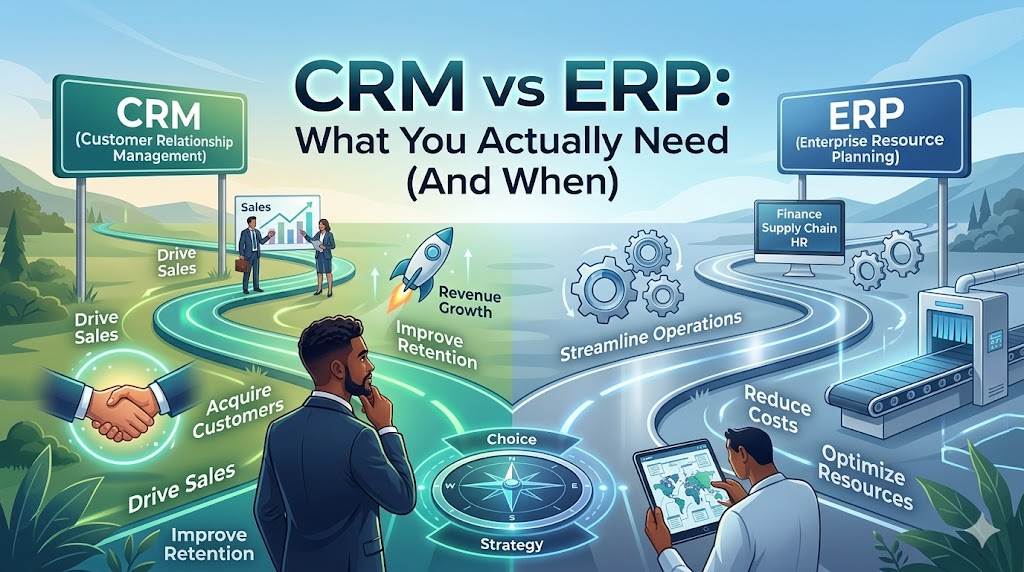
The primary goal of a CRM is to drive sales, improve customer retention, and organize your marketing efforts. If your business is struggling to acquire customers or keep them happy, a CRM is your first line of defense. It captures every interaction a lead has with your company, from the first website visit to the final closed deal.
Think of a CRM as the engine of your business. A CRM generates the horsepower needed to propel your revenue forward by capturing leads and closing sales.
Core Capabilities of a CRM
To understand its value, you must look at what a CRM actively does for your team. Here are the core features you can expect:
Pipeline Management: Visualizes your entire sales process so you know exactly where every deal stands.
Contact Management: Acts as a centralized, intelligent address book for every customer interaction, email, and phone call.
Marketing Automation: Triggers automated email sequences and tracks campaign performance to nurture leads.
Customer Service Tracking: Logs support tickets and ensures your clients receive timely help, boosting retention.
Founder's Action Step: If your sales team is relying on sticky notes, memory, or disjointed Excel sheets to track follow-ups, you are losing money. You need a CRM immediately.
What is an ERP? (Enterprise Resource Planning)
An Enterprise Resource Planning (ERP) system is the heavy machinery of the software world. It is designed to manage and integrate the core backend processes of your entire business.
While a CRM looks outward at the customer, an ERP looks inward at your operations. It handles finance, human resources, supply chain management, manufacturing, and procurement. The primary goal of an ERP is to reduce costs, streamline operations, and ensure compliance across all departments.
If a CRM is the engine of your car, the ERP is the chassis, transmission, and dashboard. An ERP ensures that the vehicle doesn't fall apart when the CRM engine starts pushing it to top speeds.
Core Capabilities of an ERP
An ERP ties all your disparate departments into one single source of truth. Here is what an ERP manages:
Financial Management: Handles accounting, invoicing, payroll, and financial forecasting with pinpoint accuracy.
Supply Chain Management: Tracks inventory levels, manages vendors, and optimizes procurement logistics.
Human Resources: Manages employee records, benefits, onboarding, and performance evaluations.
Manufacturing and Production: Schedules production runs, tracks raw materials, and manages quality control.

Founder's Action Step: If you have zero visibility into your profit margins on a per-product basis, or if your warehouse is constantly overstocked or understocked, it is time to look at an ERP.
The Core Differences: CRM vs ERP
Understanding the CRM vs ERP debate requires looking at how they fundamentally approach business growth. They tackle opposite ends of the corporate spectrum.
A CRM is strictly focused on increasing your top-line revenue. It does this by giving your sales and marketing teams the tools they need to sell more effectively. An ERP, on the other hand, is focused on improving your bottom-line profitability. It achieves this by cutting operational waste and optimizing resource allocation.
Here is a quick breakdown of their primary differences:
Target Audience: CRMs are for sales, marketing, and support teams. ERPs are for finance, operations, HR, and supply chain managers.
Primary Metric: A CRM tracks sales velocity and customer lifetime value. An ERP tracks operational efficiency and cost reductions.
Data Focus: A CRM deals with external data (prospects, client emails). An ERP deals with internal data (ledgers, employee hours, inventory counts).
The key takeaway is that a CRM drives the money in, while an ERP manages the money and resources once they are inside.
CRM vs ERP: What You Actually Need (And When)
The biggest mistake founders make is buying the wrong system for their current stage of growth. You do not need everything all at once. You must strategically deploy software based on your immediate bottlenecks.
When to Invest in a CRM First
For 90% of modern startups and small businesses, a CRM is the first major software investment you should make. If you do not have revenue, you do not have a business.
You should implement a CRM if your primary focus is aggressive growth and market penetration. Service-based businesses, agencies, and SaaS companies often rely solely on a CRM and basic accounting software for their first few years. If your biggest problem is lead leakage and inconsistent sales follow-ups, a CRM is your immediate priority.
When to Invest in an ERP First
It is rare for a startup to need an ERP on day one, but there are exceptions. If you are operating in a highly complex, asset-heavy industry, an ERP might take precedence.
Manufacturing companies, large-scale distributors, and complex retail operations cannot function without precise inventory and supply chain data. If a minor miscalculation in raw materials costs you hundreds of thousands of dollars, you need the operational rigor of an ERP. If your biggest threat is operational inefficiency and supply chain breakdown, prioritize an ERP.
The Tipping Point: When You Need Both
Eventually, scaling your business will lead you to a tipping point. Your sales team will be closing deals in the CRM faster than your operations team can fulfill them.
This creates a massive disconnect. Sales promises a delivery date, but the warehouse doesn't have the inventory. Finance is manually copying data from the CRM to generate invoices, leading to massive data entry errors. When the communication between your front office and back office breaks down, you need both systems working in tandem.
Connecting the Dots: CRM and ERP Integration
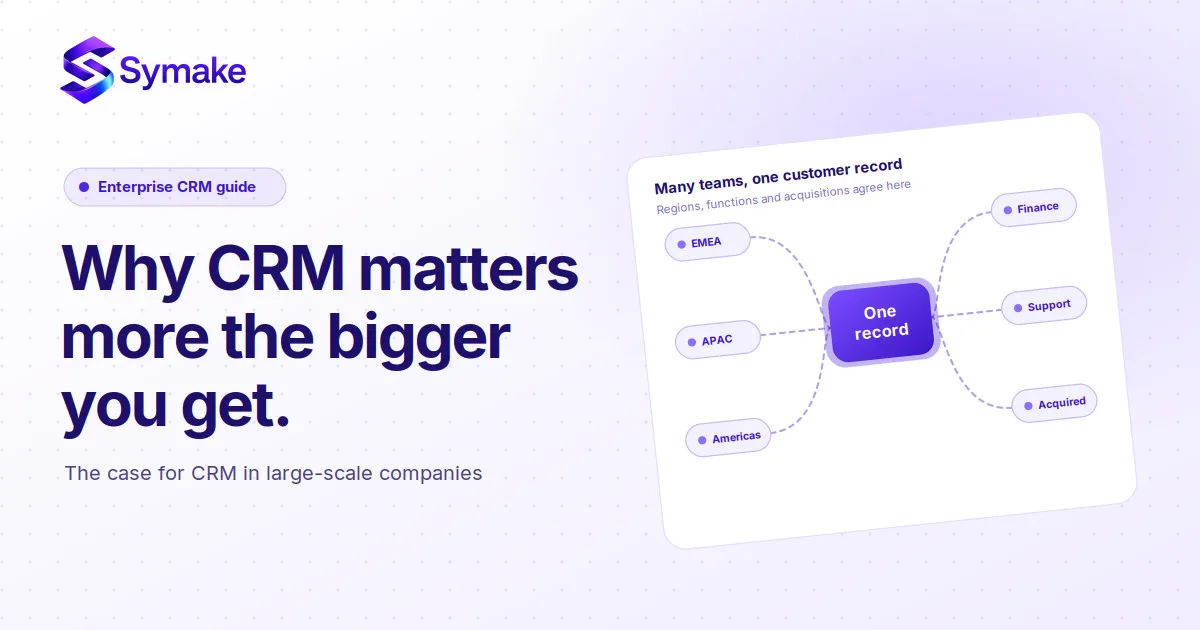
Operating a CRM and an ERP in isolation creates dangerous data silos. To unlock the true potential of your business management software, you must integrate them.
When you achieve CRM and ERP integration, magic happens. A closed deal in the CRM automatically triggers an order in the ERP. Inventory levels are instantly updated, and finance automatically generates the invoice without a single human keystroke.
This level of orchestration is what separates struggling startups from enterprise powerhouses. To understand exactly how to build this interconnected ecosystem, including where automated AI agents fit into the mix, you should read our pillar article: [The Complete Guide to Business Systems (CRM + ERP + Automation)].
Integration ensures that your sales team never sells an out-of-stock item, and your finance team never misses an invoice.
People Also Ask: Common Founder Questions
When navigating the complexities of business software, founders frequently search for these exact answers.
Can a CRM do the job of an ERP?
No. While some advanced CRMs have lightweight quoting or billing features, they cannot handle complex supply chain logistics, general ledger accounting, or deep human resource management. They lack the architectural depth required for true enterprise resource planning.
Does a small business really need an ERP?
Usually, no. Small businesses generally thrive with a solid CRM connected to dedicated, lightweight accounting software (like QuickBooks or Xero). Full-scale ERPs are typically reserved for mid-market and enterprise companies with complex operational needs.
Is Salesforce a CRM or an ERP?
Salesforce is fundamentally a CRM. It is the most dominant customer relationship management platform in the world. While it has an ecosystem of apps that can handle some operational tasks, it is not a native ERP.
Conclusion & Next Steps
The battle of CRM vs ERP is not about which software is better; it is about which software is right for your exact stage of business growth.
If you need to supercharge your sales, build better customer relationships, and drive revenue, start with a CRM. If you are drowning in inventory chaos, financial blind spots, and supply chain inefficiencies, an ERP is your path to profitability. Ultimately, as your company matures, integrating both systems will become the undeniable foundation of your success.
Are you tired of losing data, missing sales, and struggling with disjointed systems? Stop letting poor software limit your company's potential. Contact our team of system architecture experts today for a free consultation. We will help you audit your current operations, select the perfect CRM or ERP, and build a customized, automated tech stack designed purely for scale.
Frequently Asked Questions (FAQs)
1. What is the main difference between CRM and ERP?
The main difference lies in their focus. A CRM (Customer Relationship Management) focuses on front-office tasks like sales, marketing, and customer service to drive revenue. An ERP (Enterprise Resource Planning) focuses on back-office tasks like accounting, HR, and supply chain management to reduce costs and improve efficiency.
2. Which software should a startup buy first, a CRM or an ERP?
Most startups should invest in a CRM first. Generating revenue and acquiring customers is the highest priority for a new business. A CRM helps organize sales pipelines and marketing, whereas an ERP is generally too heavy and expensive for early-stage companies without complex supply chains.
3. How does CRM and ERP integration benefit my business?
Integrating your CRM and ERP eliminates data silos and manual data entry. It allows for seamless communication between your sales and operations teams. For example, when a salesperson closes a deal in the CRM, the integration automatically updates inventory and triggers billing in the ERP, preventing costly errors.
4. Are there any software platforms that offer both CRM and ERP features?
Yes, some modern business management software suites offer both capabilities under one roof. Platforms like Microsoft Dynamics 365 or NetSuite offer modules for both customer relationship management and enterprise resource planning, allowing businesses to keep all their data in one unified ecosystem.
5. What are the signs my business is outgrowing its current CRM and needs an ERP?
If your sales are growing but your profit margins are shrinking due to operational inefficiencies, it is time for an ERP. Other signs include struggling to fulfill orders accurately, lacking real-time visibility into inventory, and your accounting team spending hours manually reconciling data from different departments.